


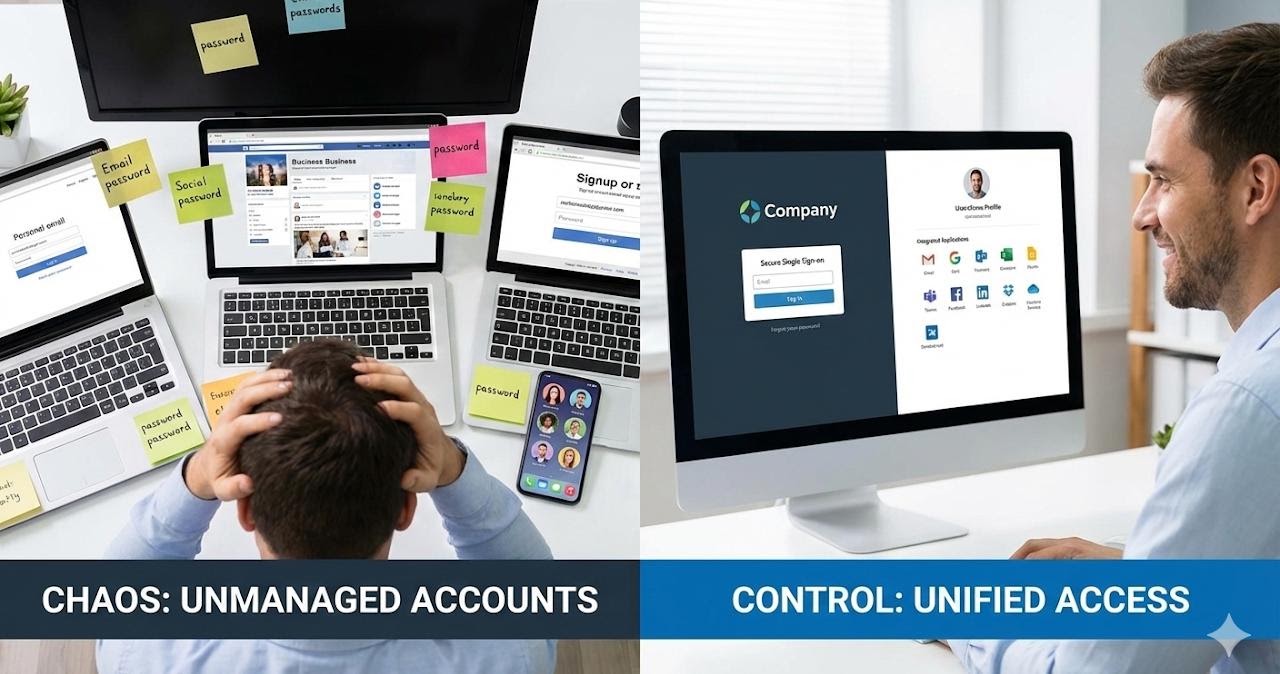
Is Your "Simple" Way of Managing Accounts Actually Killing Your Business?
When you first started your business, things were simple. You had a couple of accounts, maybe a laptop or two, and you just shared passwords to get things done. It seemed efficient at the time.
But as your business grows—even if you just add a part-time helper or a contractor—those "simple" shortcuts turn into a tangled mess. Poorly managed accounts slow you down, lose you leads, and make your company look smaller than it actually is.
If you’re still managing your digital "keys" on the fly, here is why your current habit of account sharing might be hurting your bottom line—and how to fix it without the headache.
1. The "Shared Computer" Account Trap
Sharing one login on an office computer sounds easy, but it’s a productivity killer. When multiple people use the same account, you have no trail of who did what. If a file goes missing or a setting gets changed, nobody knows why.
- The Hidden Cost: It’s not just about security; it’s about customization. When every person has their own dedicated account, their email, shortcuts, and files are exactly where they need them, saving 15-20 minutes of "searching" time every single day.
2. The Email Mess: Missing Leads and Missed Opportunities
Are your work accounts tied to personal Gmail addresses? Or is everyone sharing a single "info@" password?
-
The Professionalism Gap: When a client gets an email from
[email protected]instead of[email protected], it lowers your company profile. It looks "hobbyist" rather than "professional." - The Communication Black Hole: When accounts aren't managed correctly, emails get missed. We’ve seen businesses lose thousands of dollars in contracts simply because an inquiry sat in an unmonitored inbox or went to a personal account that the owner couldn't access.
3. The "Service Signup" Nightmare
How many of your company services (like your website hosting, your Yelp page, or your utility accounts) are signed up under a specific person's personal email address?
- The Issue: When that person stops helping you or moves on, you lose the keys to your own house. Unwinding these accounts is a technical nightmare that can take weeks of phone calls and "proof of identity" forms.
-
The Pro Move: Use Email Groups. Instead of signing up for a service with a personal account, use a group like
[email protected]. This group can forward to you and anyone else who needs to see it. If someone leaves, you don't lose access—you just change who receives the mail.
4. Poor Account Hygiene is a Security Time Bomb
If you don't have a central way to manage your company accounts, what happens when a relationship ends? If you don't know every account a person had access to, they still have a "back door" into your business. Professional account management allows you to "flip a switch" and instantly protect your company’s data the moment you need to.
Stop Doing It Alone
Most SMBs try to manage this themselves because they think a "central system" is only for big corporations. That’s a myth.
Modern tools allow us to centrally manage your accounts so that:
- Every user has their own secure, professional identity.
- Your company data stays in your hands, not on personal devices.
- New accounts are set up in minutes, not days.
- You never lose access to a service because an account was tied to the wrong email.
Don't let "simple" habits hold your business back. Let 716 IT Group clean up the mess and get your accounts running like a well-oiled machine. Call us at 716.288.5582 for a quick audit of your setup!
Quick Action Checklist
- Give every employee and contractor their own dedicated computer login and
@yourbusiness.comemail identity. - Transfer website domains, hosting, social listings, and vendor logins over to a central company group address like
[email protected]. - Use centralized directory management so onboarding new staff or revoking departing user access takes one click.
Ready for a quick audit of your business accounts?
Call 716.288.5582 or schedule a chat to centralize your users, emails, and logins.