


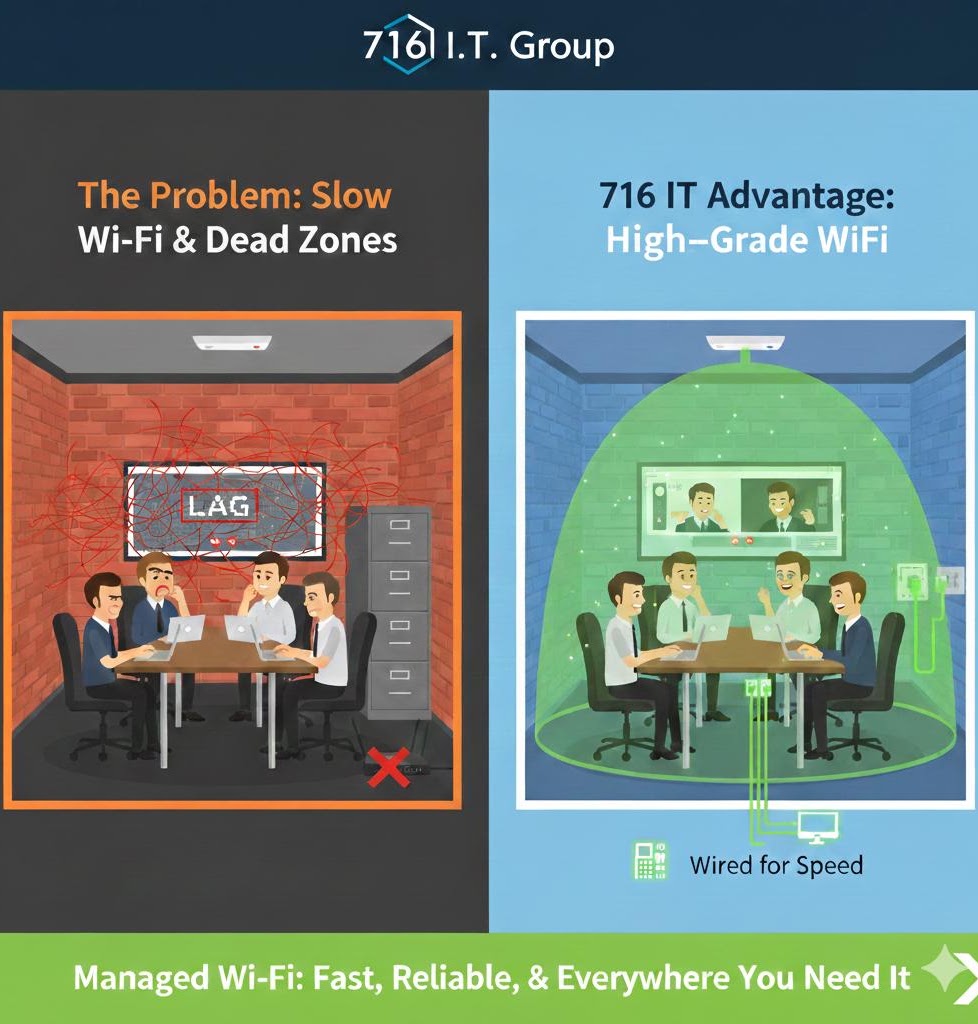
"Why is the Internet Slow ONLY in the Conference Room?"
You pay for a 1-Gigabit fiber connection, but your Zoom calls in the conference room are choppy and pixelated. Most SMBs assume it's an "Internet problem," but 90% of the time, it's a Wireless Interference problem. Physical barriers like metal filing cabinets, brick walls, or even your neighbor's Wi-Fi signal can "drown out" your connection.
Three Fixes for Conference Room Wi-Fi Dead Zones
- Placement Matters: Wi-Fi signals travel down and out. If your router is on the floor or in a closet, you are losing 50% of your signal to the ground. Move it to a high, central location.
- The 5GHz vs. 2.4GHz Rule: 2.4GHz travels further but is slow and crowded (microwaves and cordless phones use this). 5GHz is much faster but doesn't go through walls well. In a conference room, you want a dedicated 5GHz Access Point.
- Wire the Essentials: If a device doesn't move (like a VoIP desk phone or a Conference Room PC), plug it into the wall. Every device you take off the Wi-Fi makes the connection faster for the laptops and tablets that actually need it.
The 716 IT Advantage
Stop relying on the "All-in-One" router your ISP gave you. We perform Wireless Site Surveys to map out the "dead zones" in your office. We install commercial-grade Access Points (APs) that use "Seamless Roaming"—allowing your team to walk from their desk to the conference room during a call without the signal dropping for even a second. We give you "High-Grade" Wi-Fi for an SMB-friendly price.
Quick Action Checklist
- Get wireless equipment out of server closets and off the floor—mount Access Points high on ceilings or walls for clear line-of-sight coverage.
- Hardwire stationary devices (conference room TVs, room PCs, desk phones, and printers) with Ethernet cables to free up wireless bandwidth.
- Deploy commercial multi-AP Wi-Fi with seamless roaming so laptops stay connected on fast 5GHz/6GHz bands in every room.
Tired of choppy Zoom calls and office Wi-Fi dead zones?
We perform Wireless Site Surveys and install commercial Wi-Fi networks across Greater Buffalo & WNY.